
To share a chapter via link,
- Open a Story.
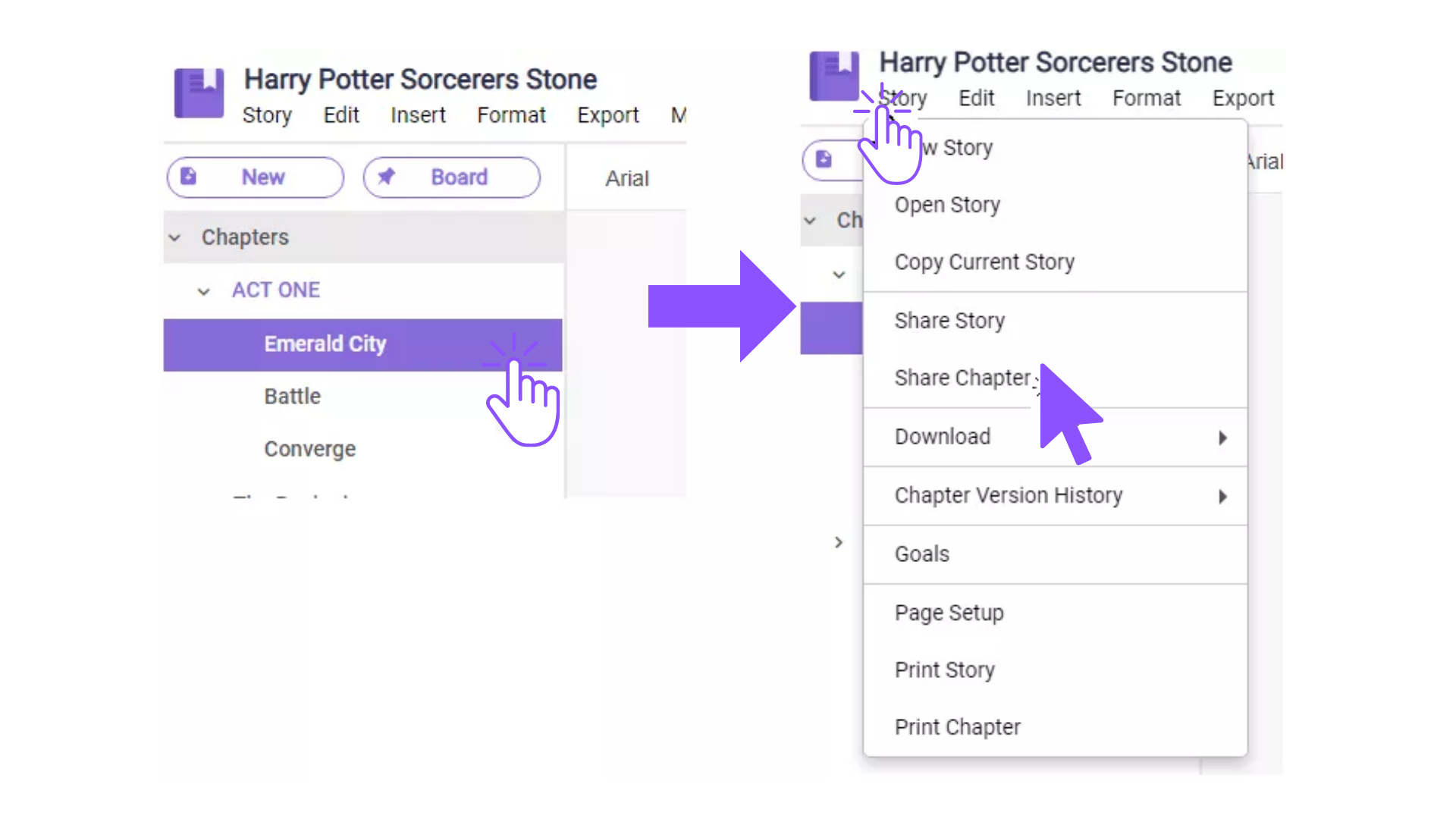
- Select which chapter you want to share.
- Click the “Story” tab, scroll down to the “Share Chapter” option.
 4. A confirmation box will pop-up, click on the check box to generate the sharable link, copy the link, and hit done.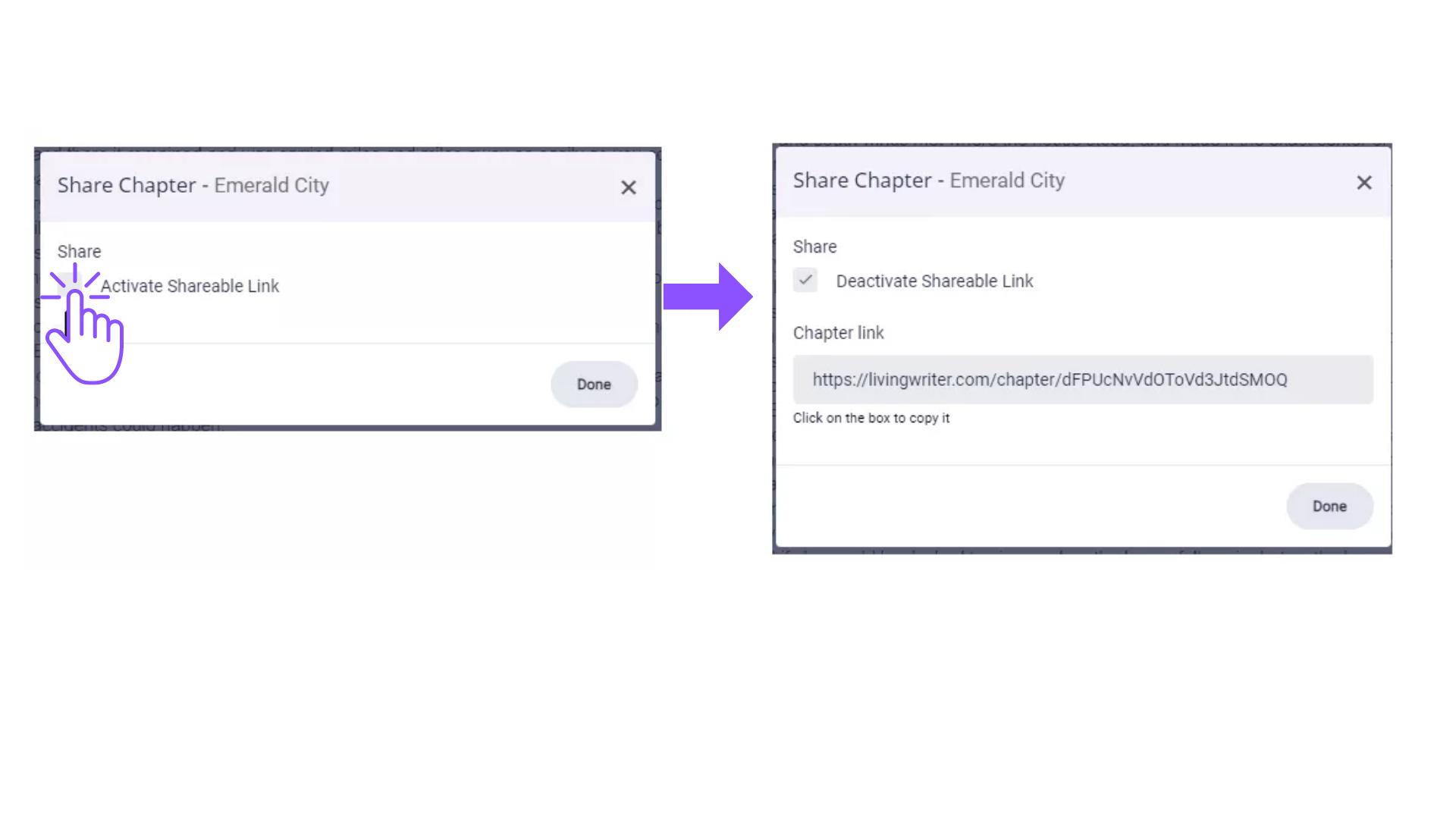
Comments
0 comments
Please sign in to leave a comment.