
To create chapters, subchapters and outlines
1.Click the “New” option on the left sidebar to create a Chapter.
2.On the drop-down, select “Chapter”.
3.There will be a pop-up box where you can write the Title, Description, and Notes.
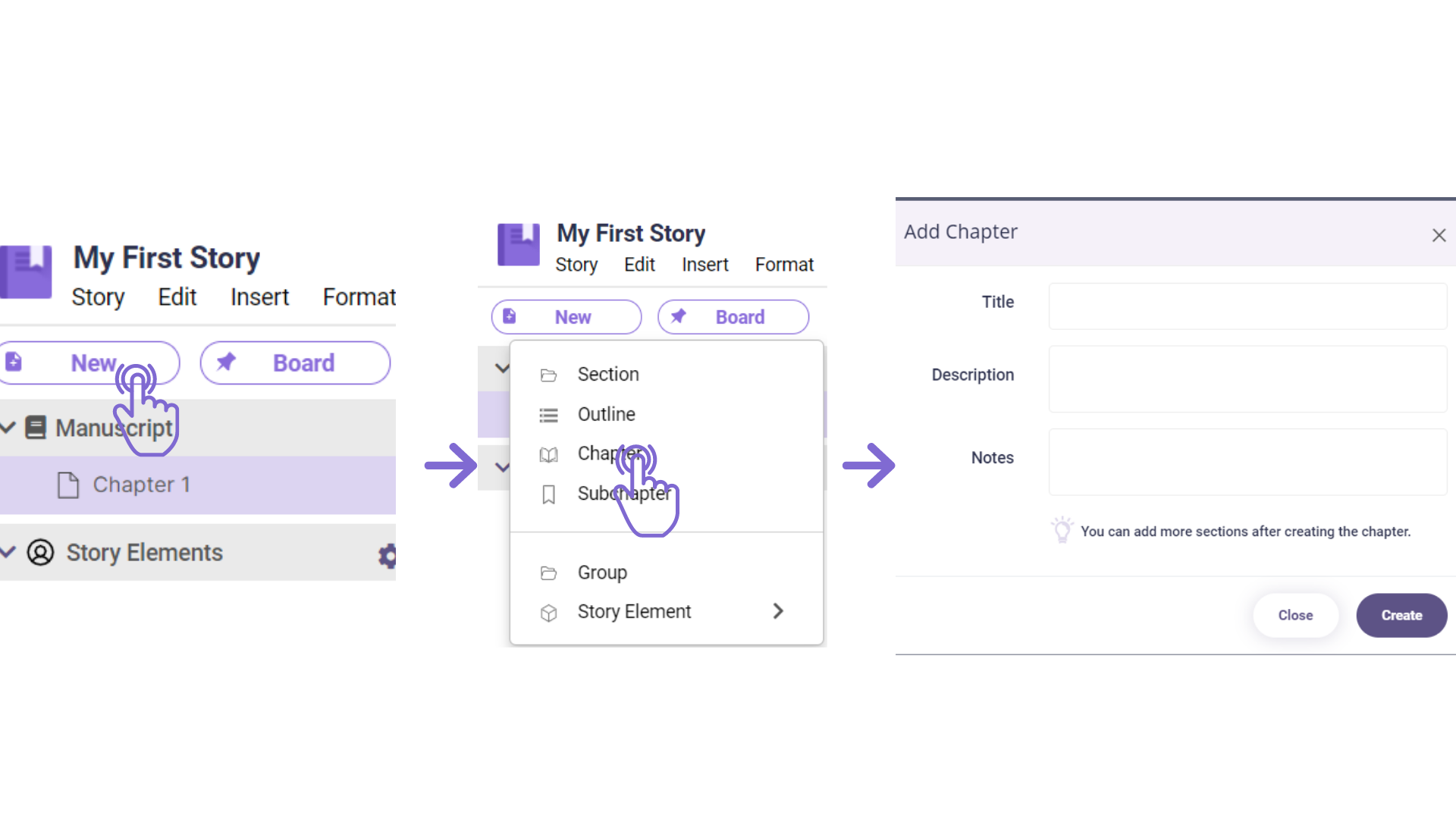
1.Click the “New” option on the left sidebar to create a Subchapter
2.On the drop-down, select “Subchapter”.
3.There will be a pop-up box where you can write the Title, Description, and Notes.

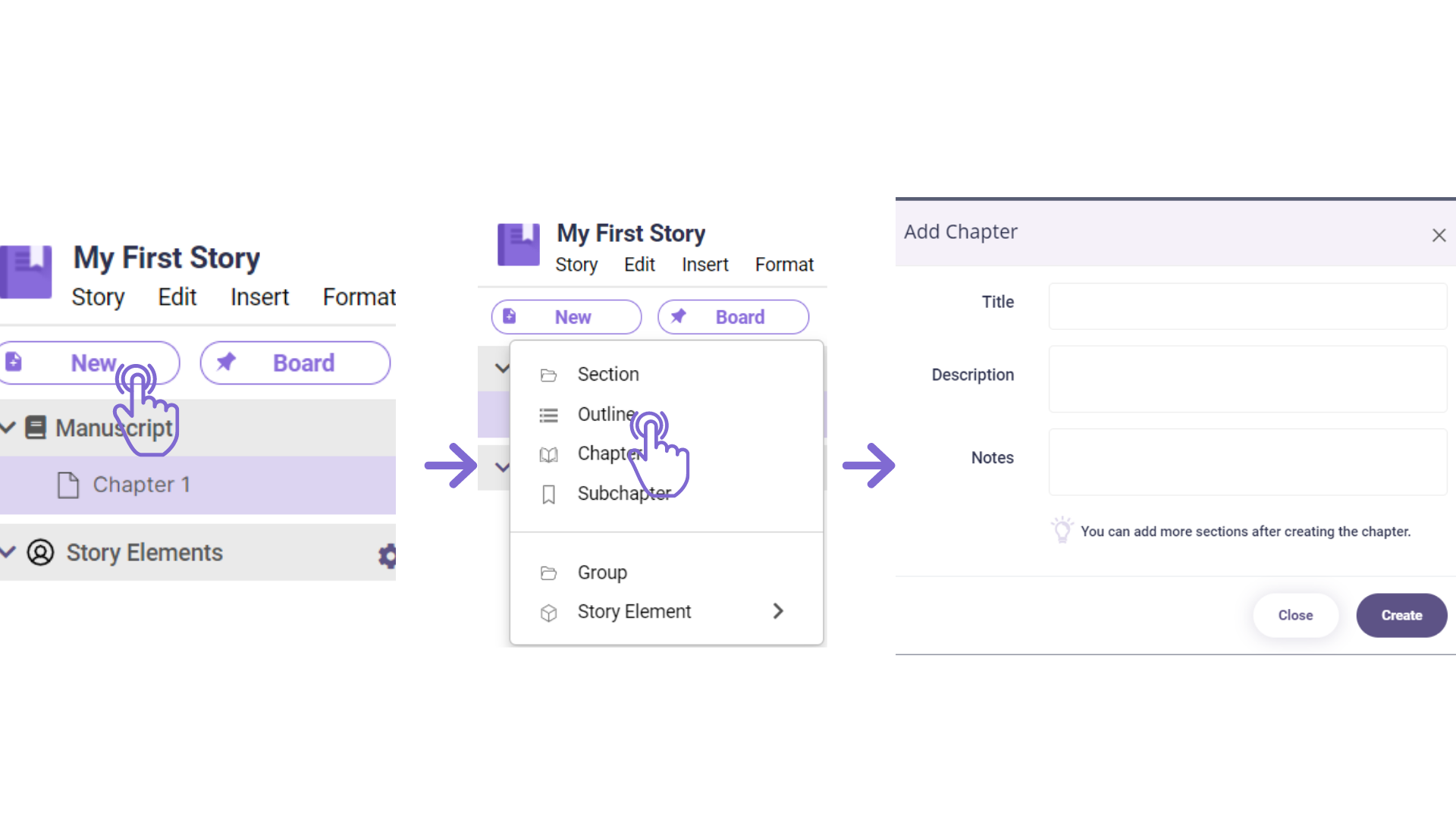
- Click the “New” option on the left sidebar to create an Outline
- On the drop-down, select “Outline”.
- There will be a pop-up box where you can write the Title, Description, and Notes.
Another way to create chapters, subchapters, and outlines is, log in to livingwriter.com, and then:
- Open your Story.
- You can right-click anywhere on the left sidebar and it’ll show the options to create Outlines, Chapters, Subchapters.

Comments
0 comments
Please sign in to leave a comment.