
To change story element color settings,
- Open a Story.
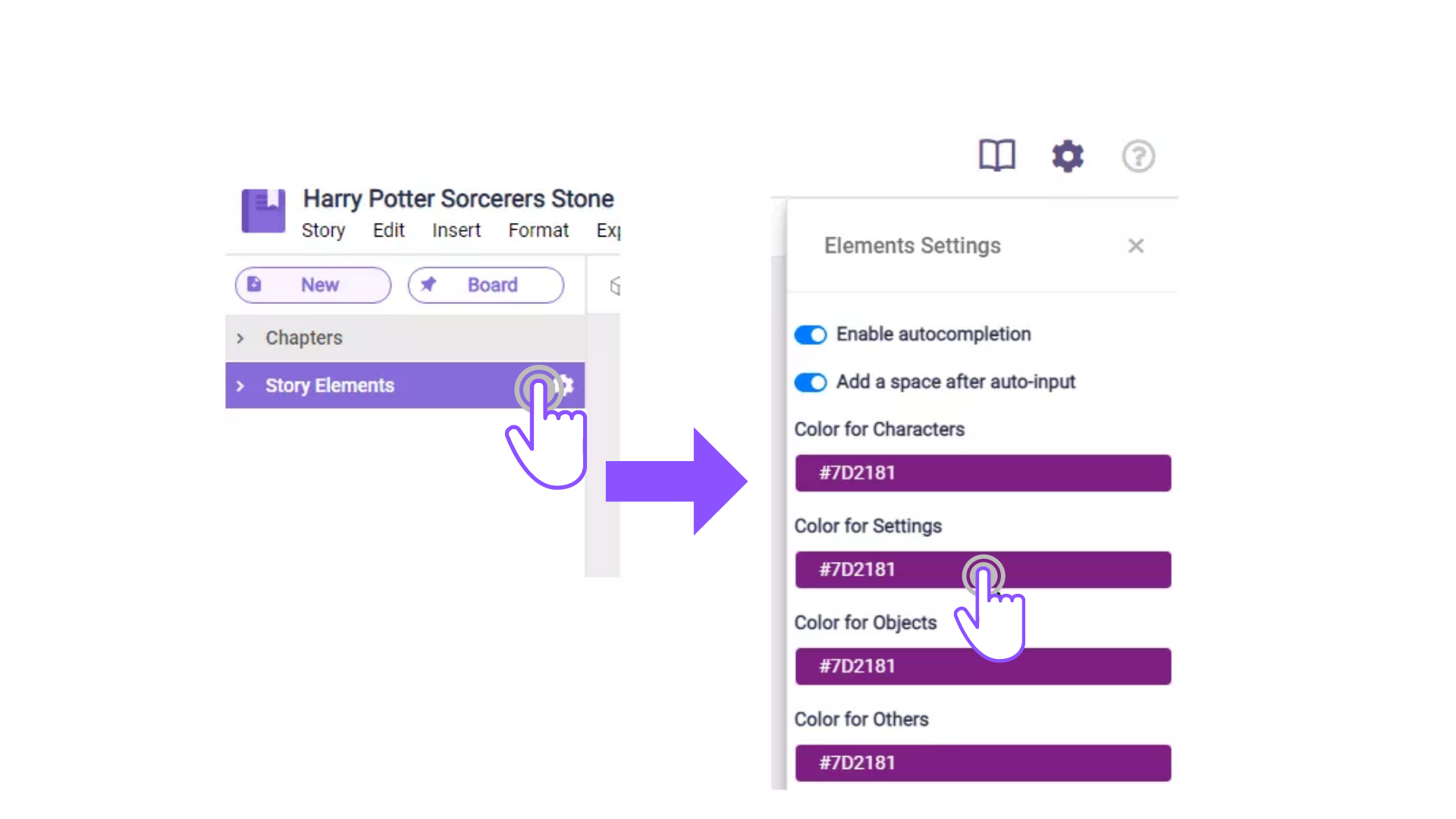
- On the left sidebar, click on the gear icon next to “Story Elements”.
- The element settings will appear in the right sidebar, then click on which color setting you want to change.
 . You choose by clicking what color you want or by entering the actual color code.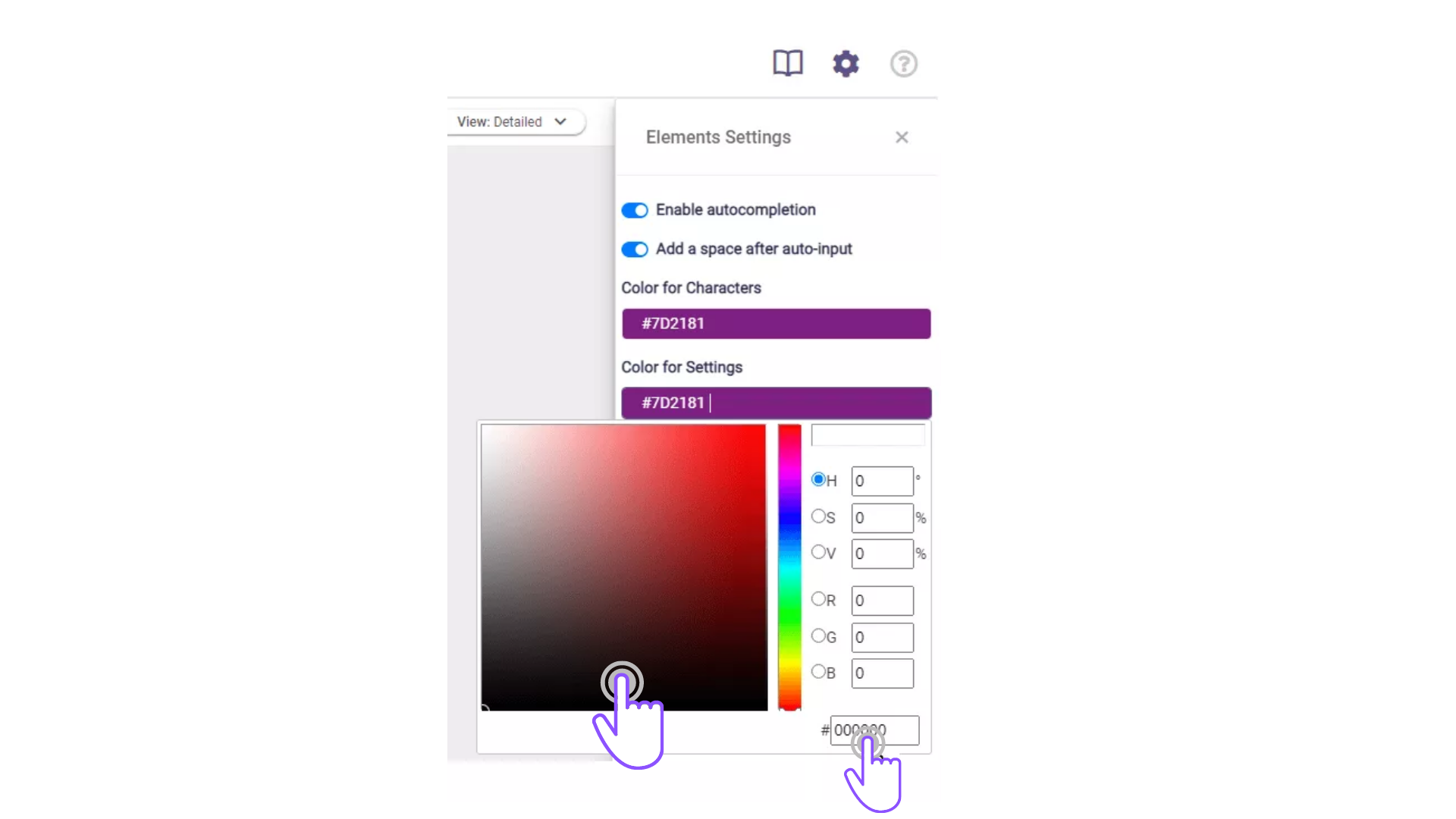
Comments
0 comments
Please sign in to leave a comment.