
To change a story element type,
- Open a Story.
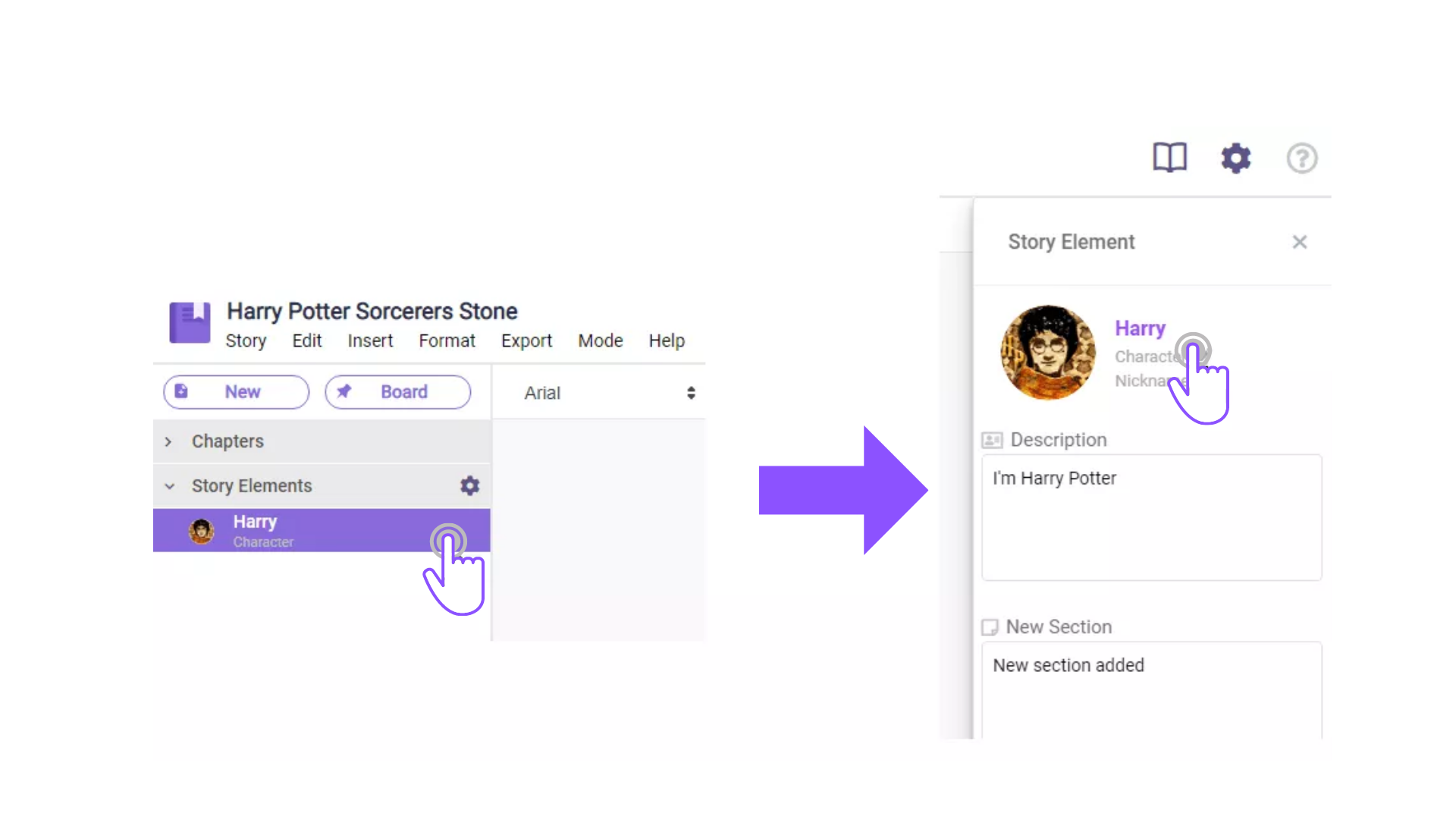
- On the left pane, click on which story element you want to edit.
- Then on the right sidebar, click on the “Edit” option next to the story element type.
 4. A pop-up box will appear, scroll down to which type you want to change it to, then click “Save”.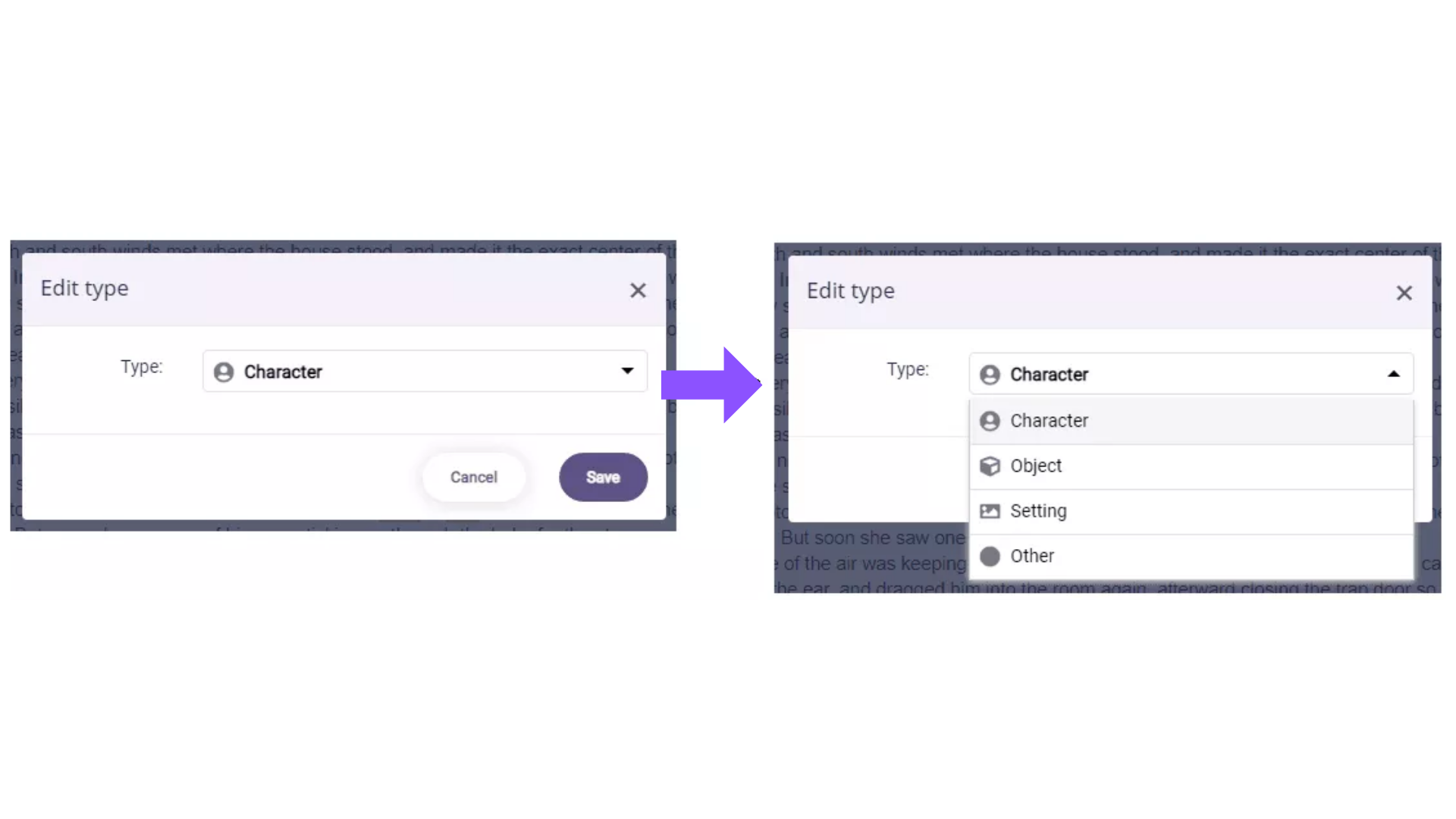
Comments
0 comments
Please sign in to leave a comment.